Idler
Keep your Mac awake with one click.
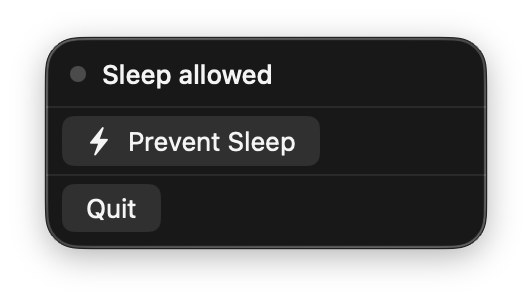
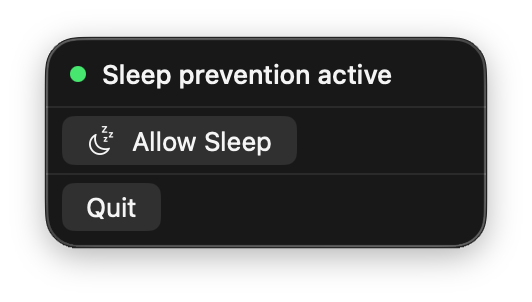
Corporate-managed Macs often enforce aggressive sleep policies you can't override. Your screen locks, Slack goes "Away", colleagues think you disappeared — even though you just got coffee while a build runs.
Idler sits in the menu bar. Click once — it prevents system and display sleep via IOKit assertions and simulates user activity every 30 seconds. Click again to allow sleep normally.
Rewrite of the original Go version in native Swift.
$ brew install --cask alexrett/tap/idler
Releases
v2.1.0Mar 15, 2026
Fixes
- Fixed cursor jumping on external monitors — cursor nudge now correctly converts coordinates across multi-monitor setups instead of using only the primary screen height
- Fixed
build.shrecursive call failing when run viabash build.sh
v2.0.0Mar 15, 2026
Idler v2.0.0
Complete rewrite in Swift — native macOS menu bar app that prevents sleep.
Features
- One-click toggle in menu bar (🌙 → ⚡)
- Prevents system + display sleep via IOKit
- Simulates user activity every 30 seconds
- No dock icon, runs quietly in menu bar
Install
Download Idler.dmg, open and drag to Applications.
Signed and notarized with Apple Developer ID. Universal binary (Apple Silicon + Intel).
Requirements
- macOS 13.0 (Ventura) or later
platform macOS 13+
architecture universal (arm64 + x86_64)
framework SwiftUI + IOKit
activity sim every 30 seconds
license MIT
privacy fully offline, no telemetry
update brew upgrade --cask alexrett/tap/idler
uninstall brew uninstall --cask alexrett/tap/idler