SimpleLime
Scratch-first text editor for temporary notes, Markdown, and code.
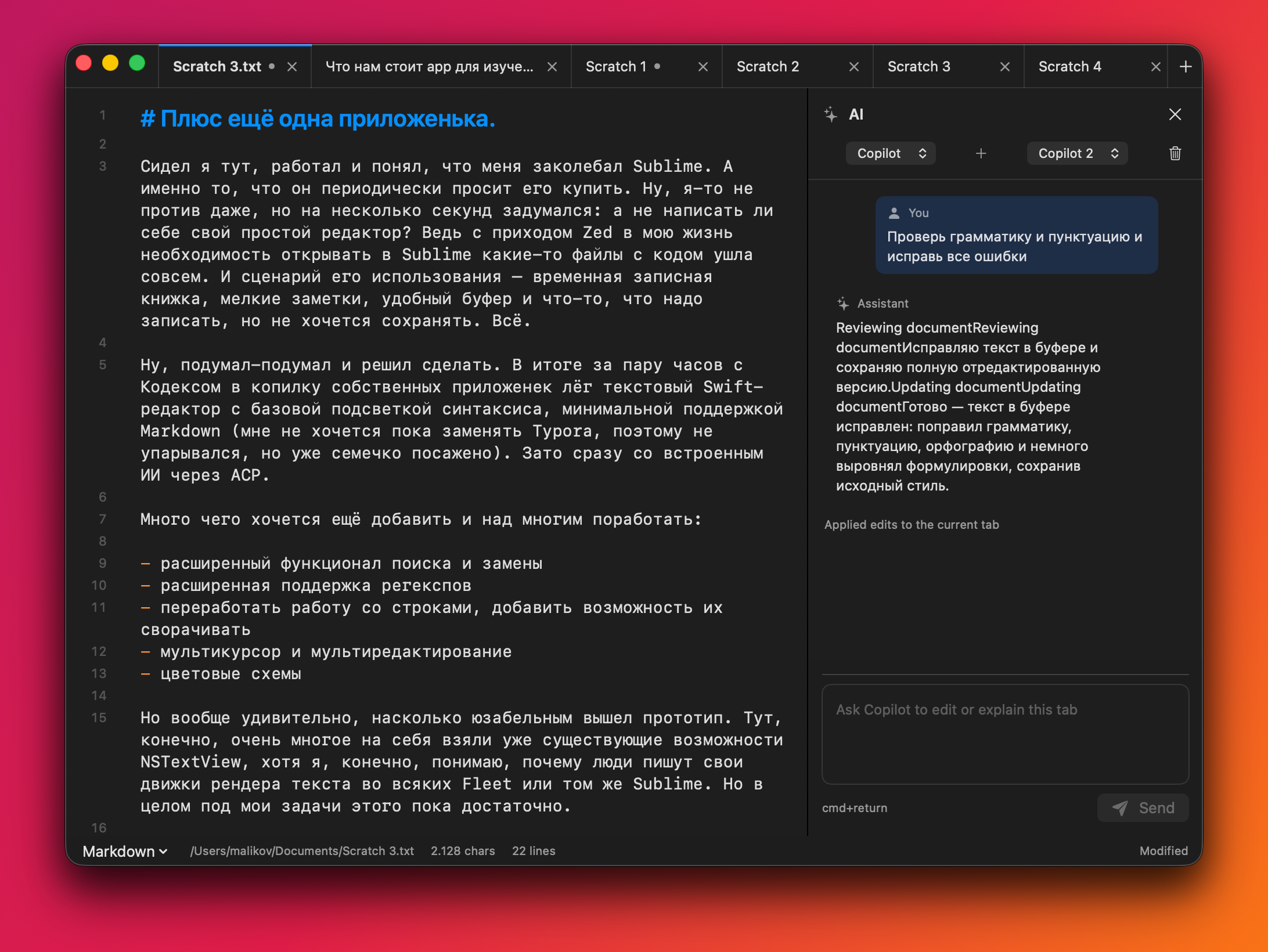
SimpleLime is a small native macOS editor for the text you do not want to carefully organize yet: drafts, copied snippets, Markdown notes, TODOs, logs, and temporary files that still need to survive a reboot.
It keeps scratch buffers in the restored session, opens regular text files, shows line numbers, highlights the current line, wraps text by default, and gives you the daily editor basics: search, replace, regex, find across tabs, multi-cursor basics, and text transforms.
There is also a primitive per-tab AI chat through Agent Client Protocol. Copilot works through the GitHub Copilot CLI ACP server, and Codex can be wired through a compatible ACP command when one is available.
Releases
v0.5.0May 10, 2026
Changes:
- Added document comments with sidebar highlights, persistence, and reminder notifications.
- Added trusted-peer collaboration over the local network with patch syncing and remote cursors/selections.
- Expanded Markdown WYSIWYG/source behavior: block source editing, nested lists, safer media/image handling, comments, and remote selection rendering.
- Improved Markdown syntax highlighting around fenced code blocks and nested languages.
- Refined editor UI/status/commands and updated README shortcuts/features.
- Added regression coverage for collaboration, comments, syntax highlighting, and Markdown editor behavior.
v0.4.0May 9, 2026
Changes:
- Migrated the editor core to STTextView.
- Added iPad app target and shared Apple-platform layout.
- Fixed macOS and iPad multicursor editing paths.
- Adjusted first-line editor spacing without scroll inset side effects.
v0.3.7May 9, 2026
- Fix multicursor editing so multiple insertion points stay active while moving with arrows.
- Add multicursor keyboard selection support for Shift, Option+Shift, and Command+Shift arrow flows.
- Keep multicursor edits backed by the custom editor selection state instead of native NSTextView zero-length range collapsing.
v0.3.6May 9, 2026
- Fix Settings layout by replacing the broken macOS Form layout with explicit settings rows.
- Add column-style multicursor creation: Option-drag for vertical carets, Option-Shift-drag for vertical selections, and Option-Up/Option-Down for keyboard-added carets.
- Fix multi-edit cursor positions after typing, newline, tab, and delete across multiple cursors.
- Add word wrap toggle in the status bar, Settings, and Cmd+Option+Z.
v0.3.5May 8, 2026
- Fix current-line highlight for wrapped logical lines, including the line number gutter.
- Add basic multicursor editing: Cmd+Option+G for next occurrence, Option-click for extra cursors, and multi-caret typing/deletion.
- Make file opening feel faster by creating the tab immediately and loading file contents off the main thread.
- Avoid expensive syntax re-highlighting on selection-only updates and skip complex regex highlighting for very large buffers.