SimpleShot
Wrap screenshots in beautiful gradient backgrounds and annotate them.
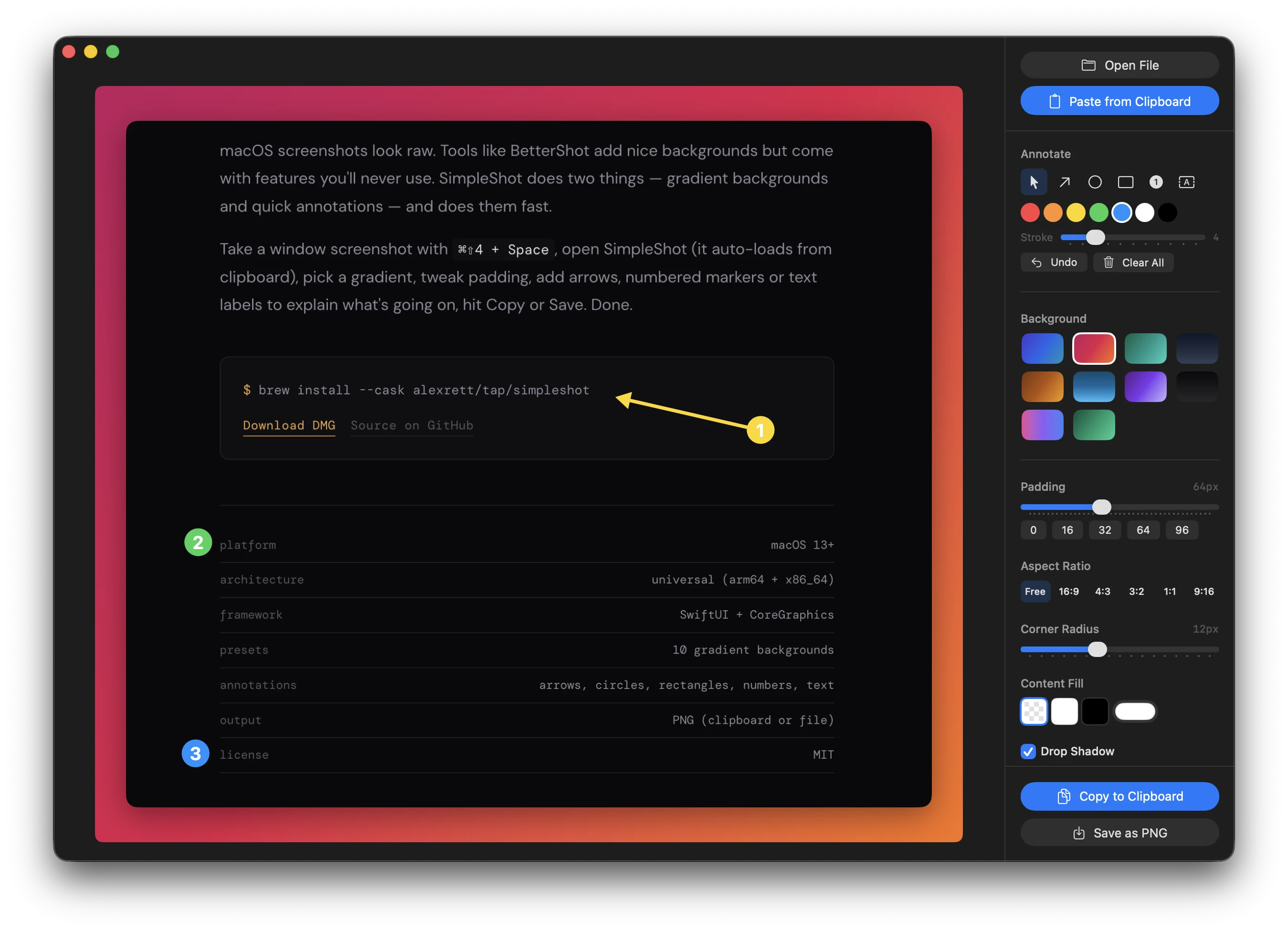
macOS screenshots look raw. Tools like BetterShot add nice backgrounds but come with features you'll never use. SimpleShot does two things — gradient backgrounds and quick annotations — and does them fast.
Press ⌘⇧4, then Space to switch to window capture, hold ⌃ Control and click — the screenshot goes straight to clipboard. Open SimpleShot and it's already there. Pick a gradient, tweak padding, add arrows, numbered markers or text labels, hit Copy or Save. Done.
You can also drag & drop any image file, open via ⌘O, or paste files copied in Finder. Supports PNG, JPEG, TIFF, GIF, HEIC, WebP, PDF, SVG and more. Use aspect ratio presets to keep a series of images consistent, and content fill to set backgrounds for transparent images.
Releases
v1.5.1May 24, 2026
Full Changelog: https://github.com/alexrett/simpleshot/compare/v1.5.0...v1.5.1
v1.5.0May 23, 2026
Full Changelog: https://github.com/alexrett/simpleshot/compare/v1.4.3...v1.5.0
v1.4.3May 3, 2026
- Use timestamped default PNG filenames when saving, so repeated saves no longer reuse screenshot.png.
v1.4.2Mar 16, 2026
Bug Fix
- Fix image export on Retina displays — exported images were cropped because the canvas size was calculated in points instead of pixels. Now the export correctly scales to full pixel resolution, matching the preview.
v1.4.1Mar 15, 2026
What's New
- About dialog: credits with author info, website and GitHub links